Creating a Unified SSO Experience for Cardinal Financial
Replacing fragmented sign-in flows with one scalable authentication framework across the borrower ecosystem.
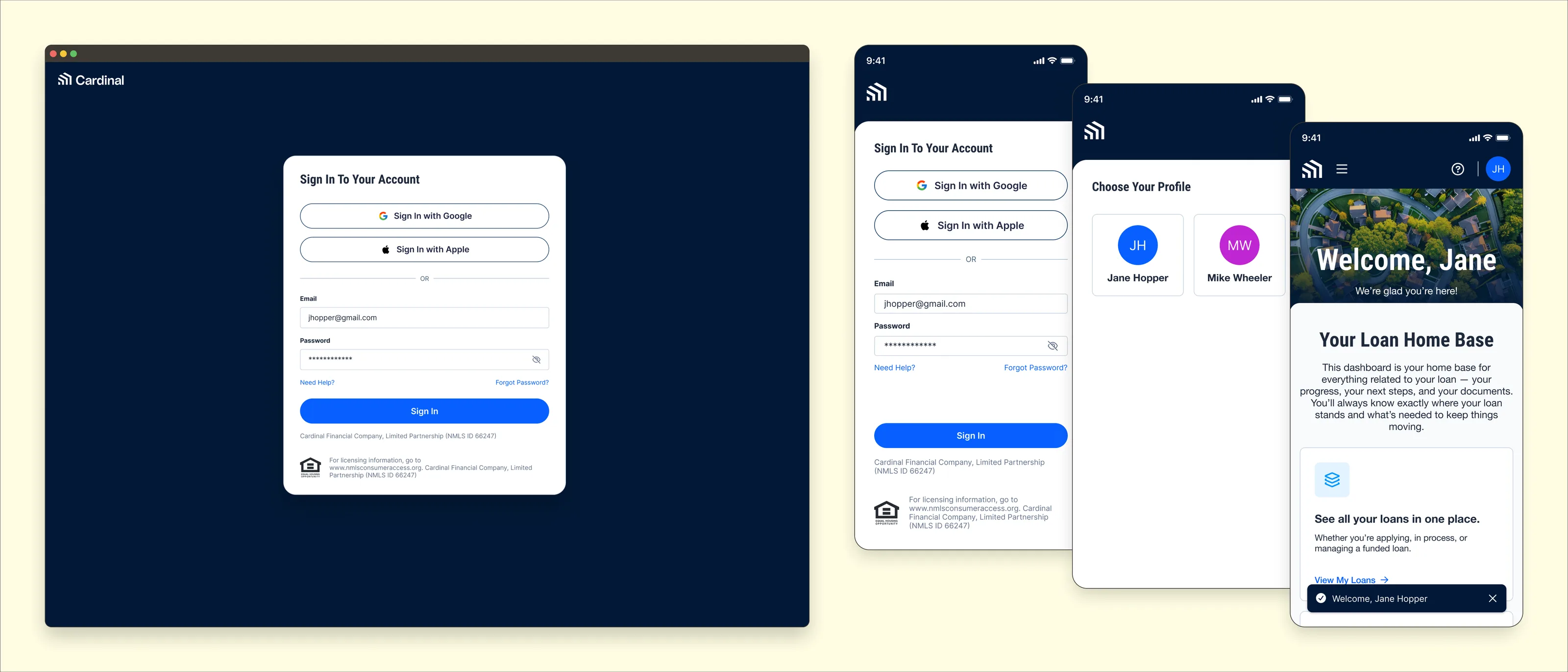
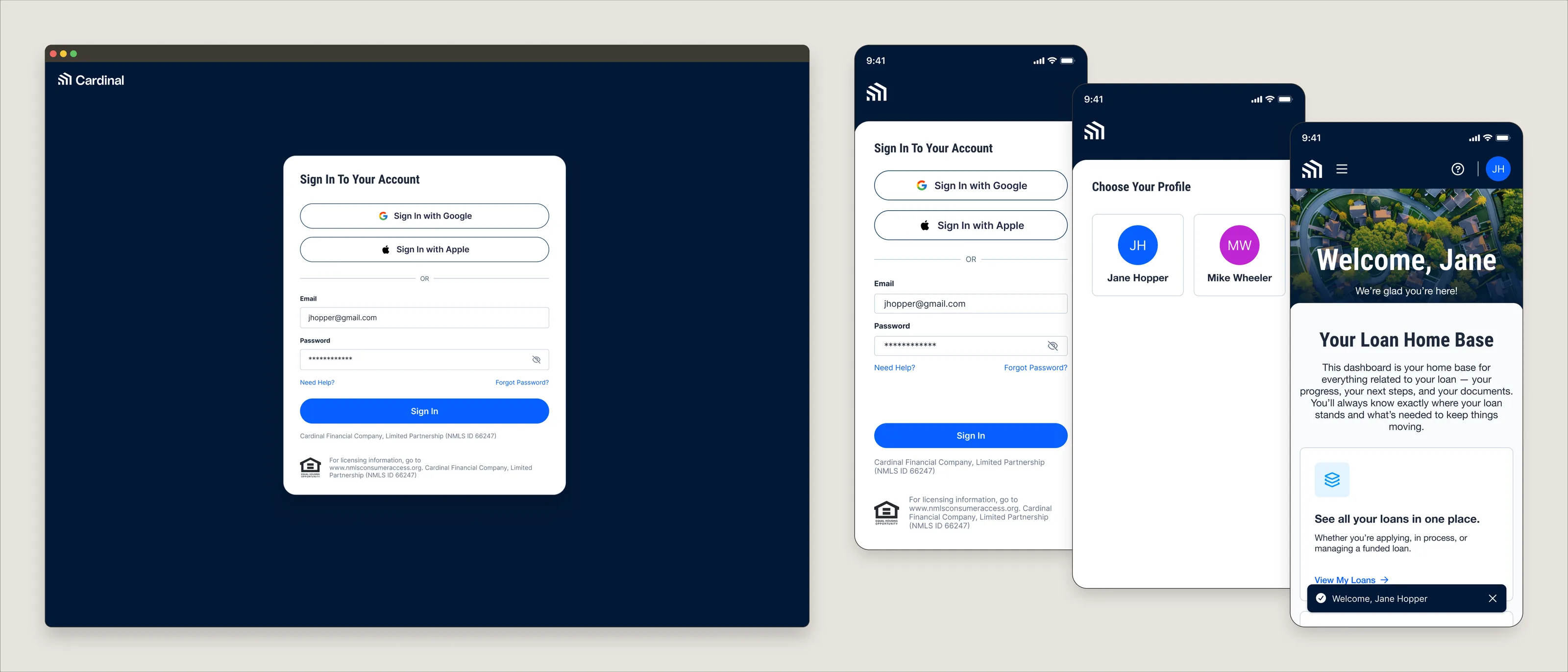
Details
- Service
- Product Design
- Sector
- B2C Fintech / Mortgage Technology
- Year
- 2025–2026
- Role
- Project Lead / Product Designer
- Focus
- Authentication, UX strategy, Journey mapping, Design QA
Project Overview
As Cardinal Financial expanded its digital ecosystem, authentication became a growing point of friction. Borrowers had multiple entry points into the Cardinal ecosystem, ranging from loan officer referrals and third-party channels to several Cardinal products such as Public Loan Quote (PLQ), Smart App, and the Borrower Dashboard. Each entry point relied on fragmented account creation and sign-in experiences, modern authentication options like Google and Apple Sign-In were unavailable, and there was no scalable authentication framework that could support future products.
The opportunity was to design a unified single sign-on (SSO) experience that simplified authentication while establishing a centralized foundation across Cardinal’s borrower platform and web experiences. Originally designed using Cardinal’s Kinetic 3.0 design system, the experience was later modernized even further with the AI-native Northstar design system before entering engineering QA and internal beta testing.
Impact
The new SSO system introduces modern authentication options, unifies previously fragmented sign-in flows, and creates a cohesive, scalable foundation that will power future borrower experiences across Cardinal Financial.
Following its upcoming launch, we anticipate the unified SSO will also optimize product analytics, allowing the team to measure completion rates, sign-in method adoption, drop-off points, and user behavior in a centralized manner across entry points and streamline future iterations through A/B testing.
My Role
Initially, I partnered with product leadership, product specialists, engineering, and other cross-functional stakeholders to establish a modern authentication experience that could scale across Cardinal Financial’s digital ecosystem. Following an organizational restructuring shortly after kickoff, I assumed ownership of the initiative from the product side, leading discovery, experience strategy, design, implementation, and QA through internal beta testing while continuing to collaborate closely with engineering and other cross-functional stakeholders. In addition, shortly after finalizing the initial design, I migrated the experience from Cardinal’s Kinetic 3.0 design system to the AI-native Northstar design system, anchoring the experience in a nimble, AI-assisted workflow.
My key responsibilities included:
- User research and authentication flow audits
- Borrower journey mapping
- Competitive analysis
- Information architecture
- UX strategy
- Low-, mid-, and high-fidelity design
- Interactive prototyping
- Cross-functional collaboration
- Developer handoff
- Northstar design system migration
- Design QA and internal beta testing
Beyond designing a discrete authentication experience, I helped establish a scalable SSO framework that can support new points of entry and future Cardinal Financial products and web experiences.
The Challenge
Authentication wasn’t simply a login problem, it was an ecosystem problem.
Cardinal borrowers begin their journey through PLQ, Smart App, the Borrower Dashboard, loan officer referrals, third-party mortgage sites, email, or even phone. Each pathway introduces a different context, but every borrower still needs a seamless, secure, and trustworthy authentication experience.
The challenge was to design a unified authentication system that reduced friction while remaining flexible enough to support multiple borrower journeys, new points of entry, and future Cardinal products.
Research & Discovery
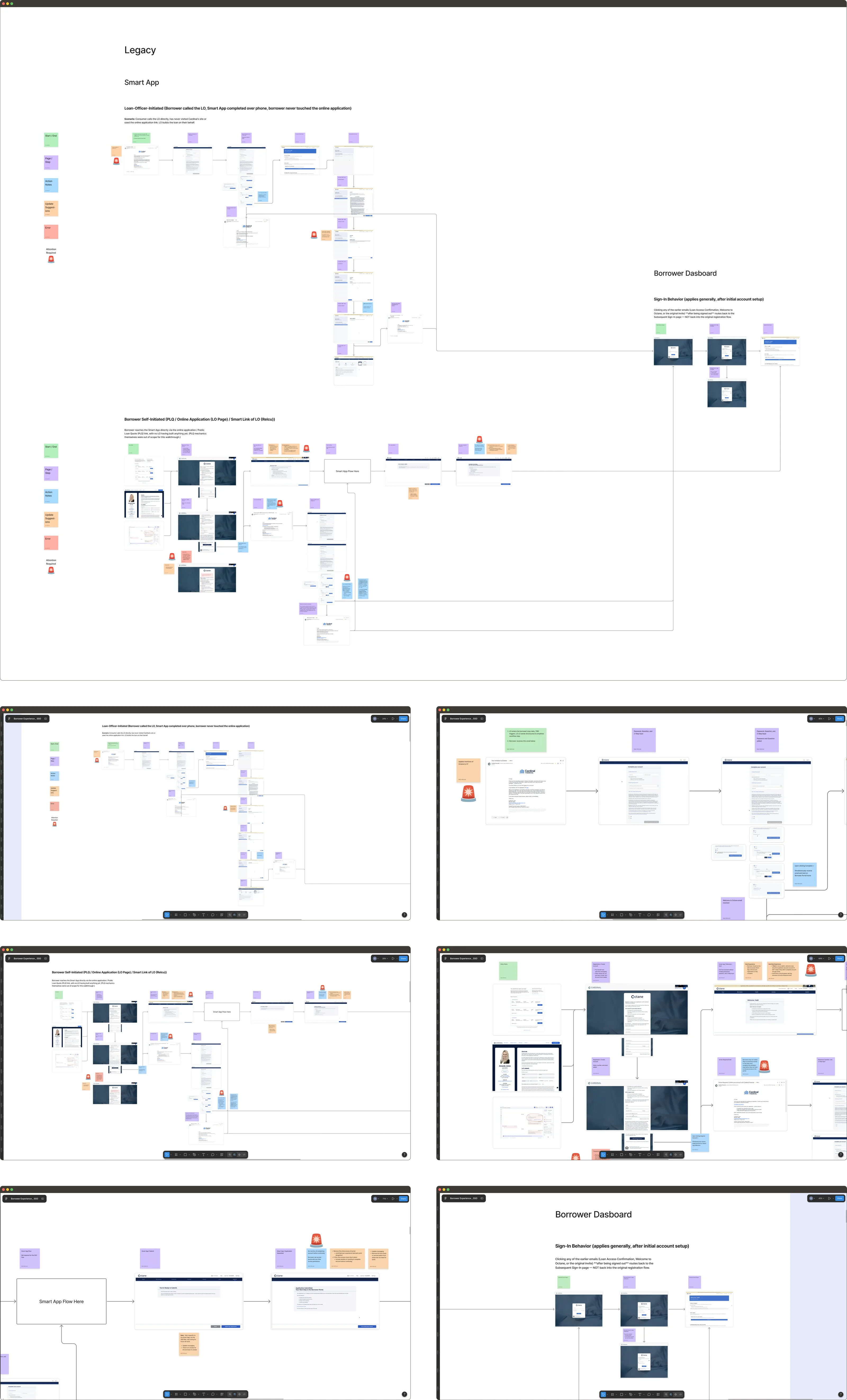
I began discovery by auditing existing authentication experiences across Cardinal’s Borrower Experience ecosystem, mapping user journeys and identifying friction throughout registration, sign-in, password recovery, and account activation.
Collaborating closely with a product specialist, I documented edge cases and reviewed modern authentication patterns used across leading digital products to understand how they balanced convenience, trust, and security.
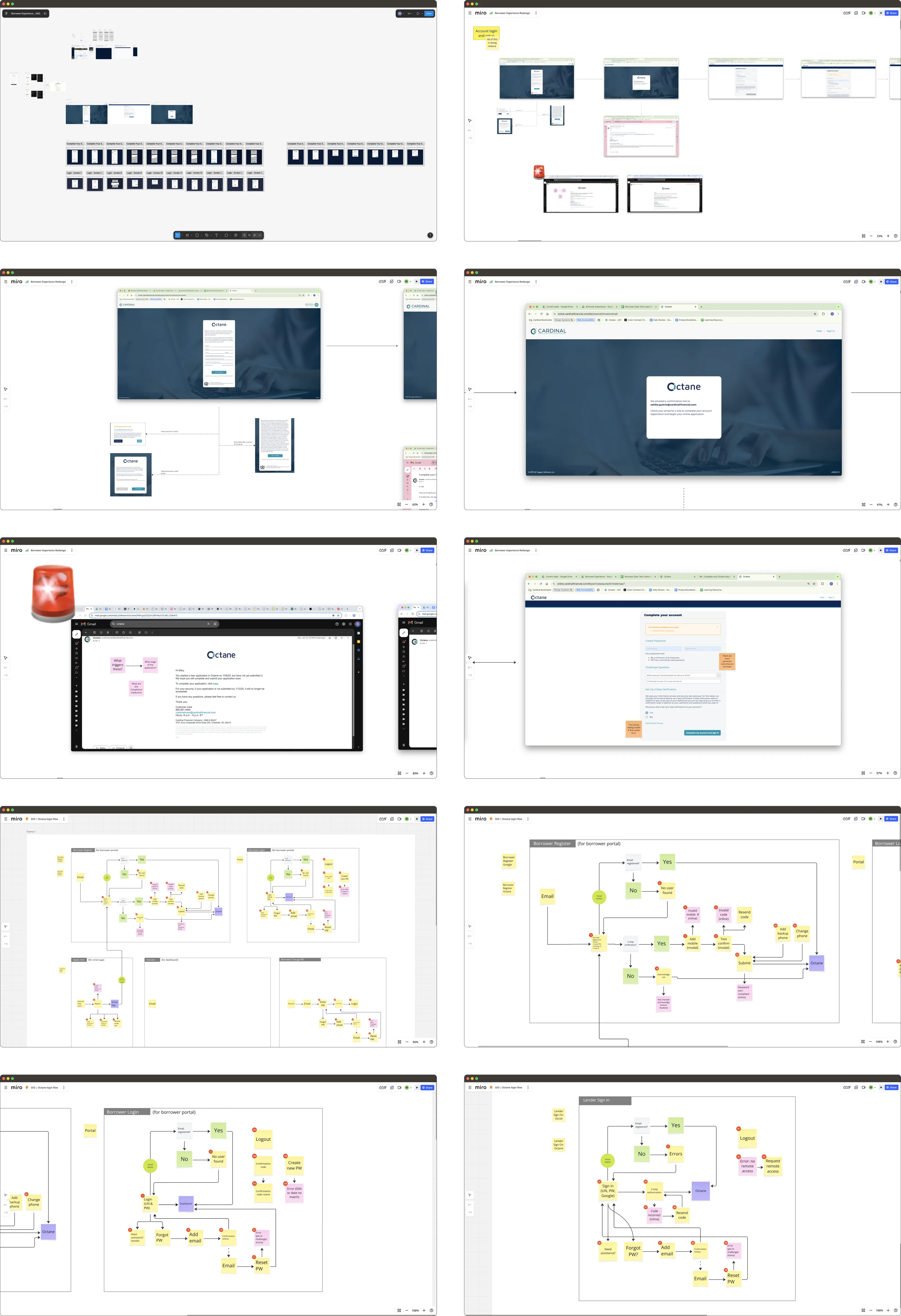
Findings from the internal audit and market research informed multiple rounds of low-, mid-, and high-fidelity exploration focused on information hierarchy, authentication flow architecture, responsive behavior, and recovery experiences.
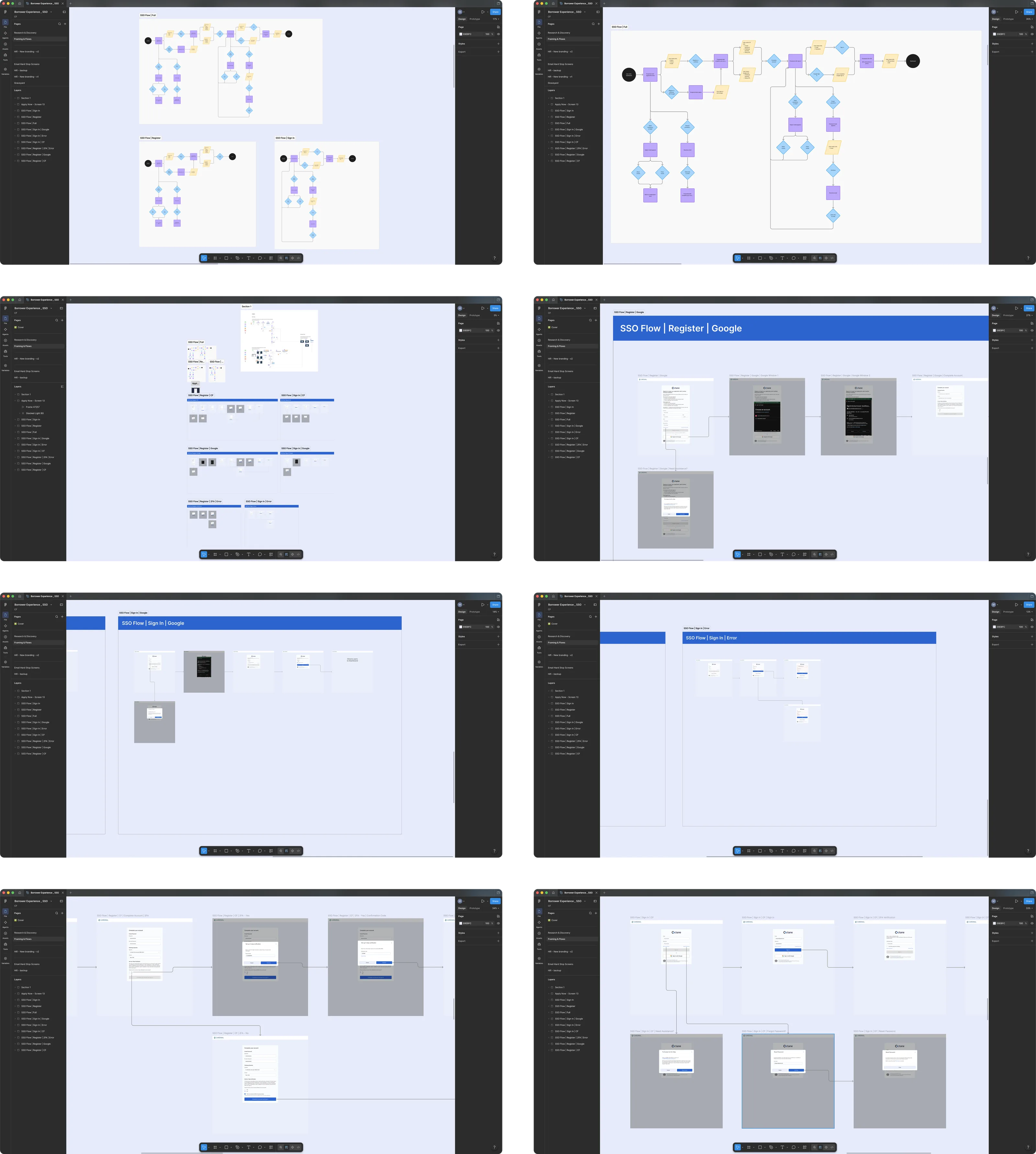
Solution & Design
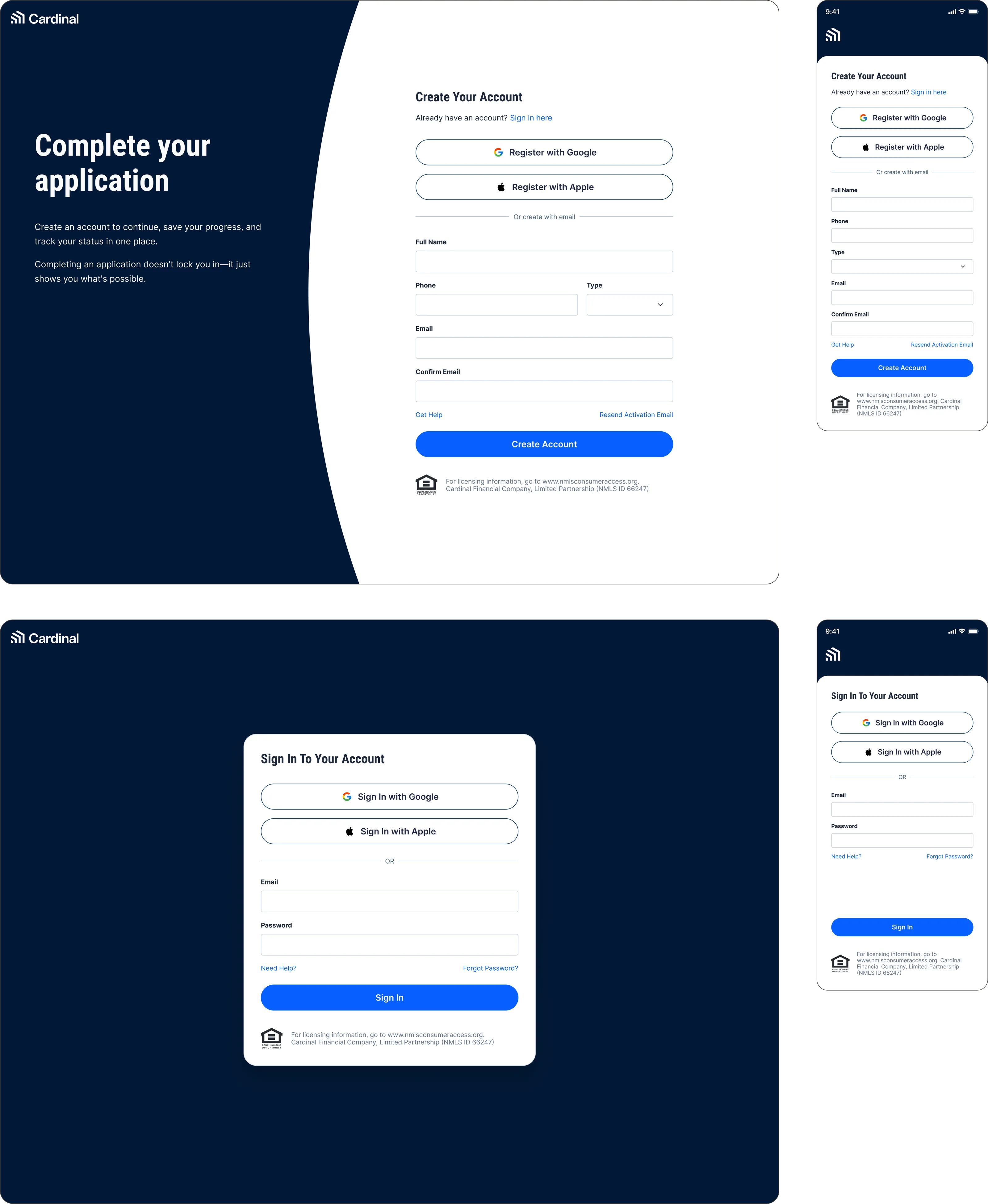
Following thorough discovery and collaborative reviews with stakeholders, the solution evolved into a unified authentication framework supporting both traditional account creation and modern social sign-in.
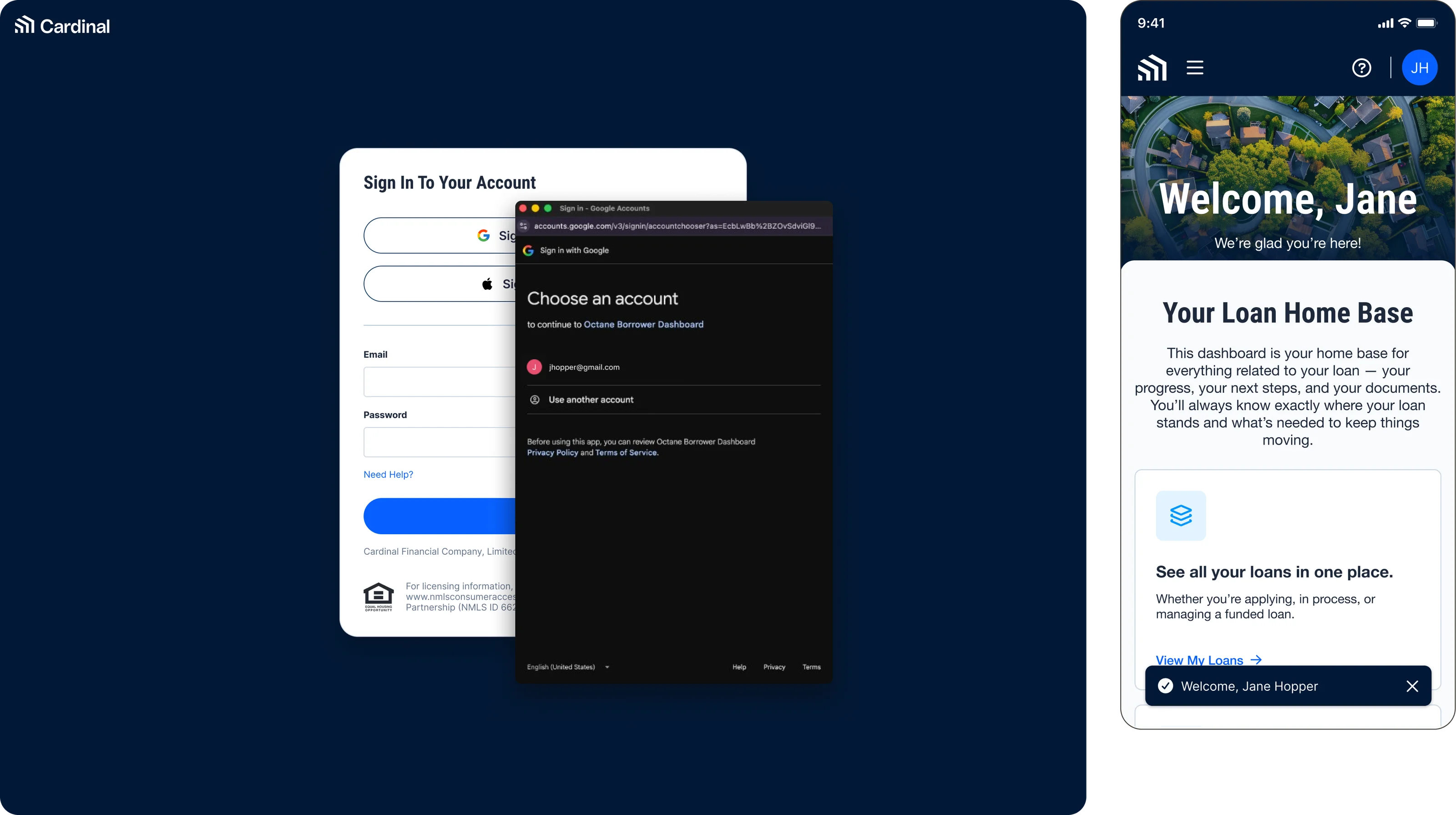
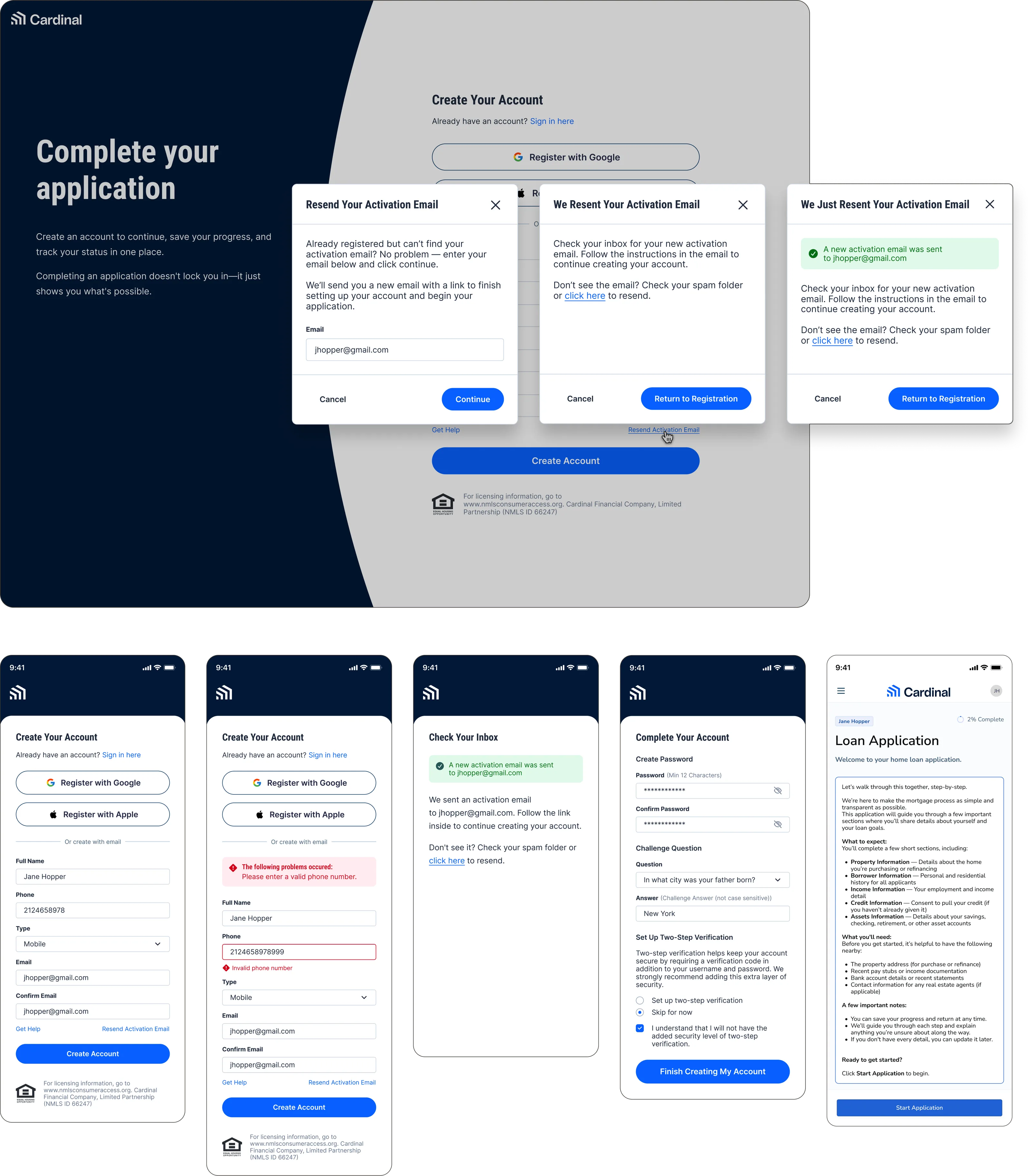
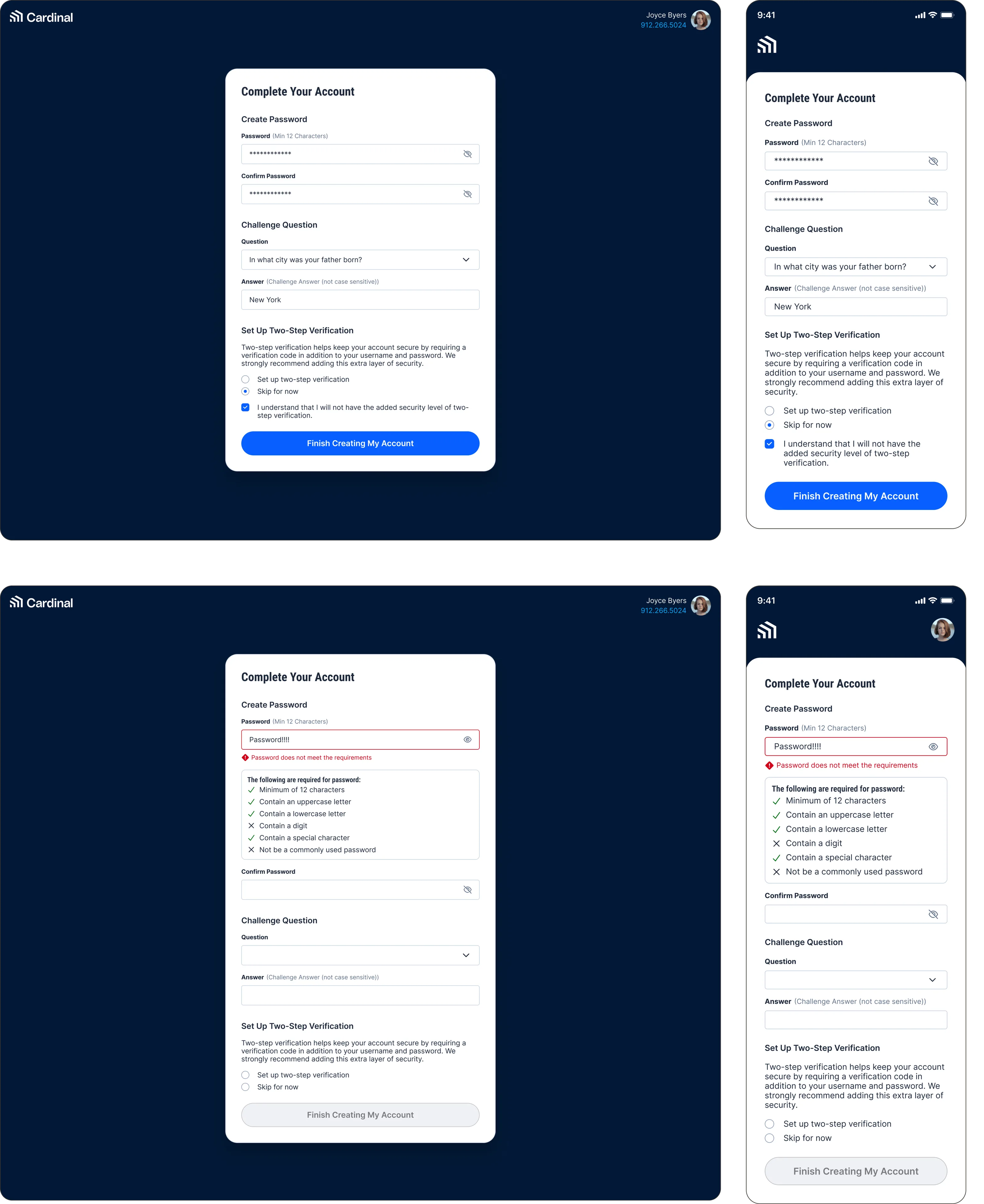
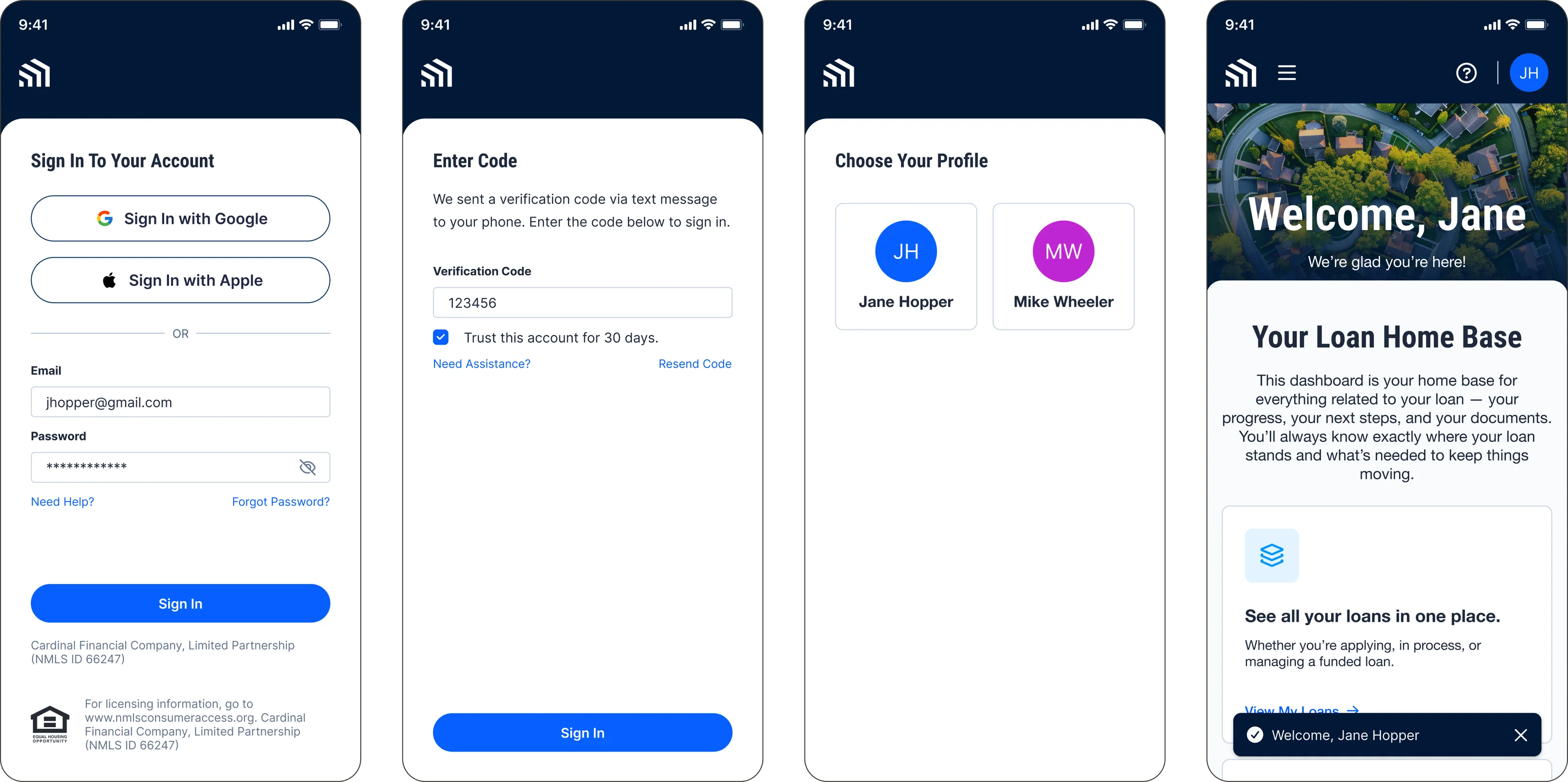
The final experience provides a consistent authentication system supporting:
- Seamless routing into PLQ, Smart App, Borrower Dashboard, and other current and future products in Cardinal’s borrower ecosystem
- Google and Apple Sign-In
- Traditional email registration and login
- Password recovery and account activation
- Validation, loading, error, and success states
- Responsive mobile and desktop experiences
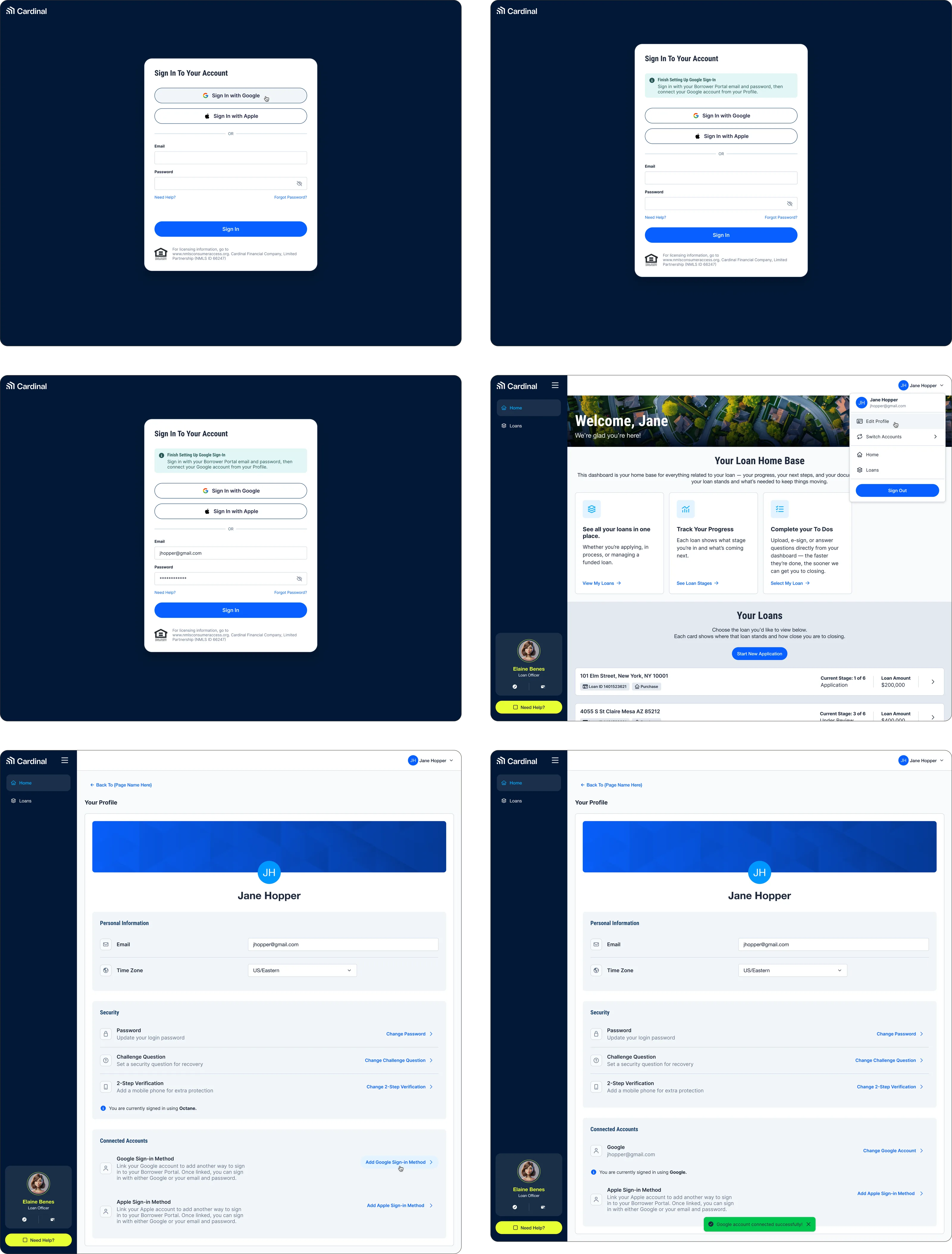
Rather than solving authentication for a single feature, the solution establishes a centralized platform that can scale across Cardinal Financial’s expanding digital ecosystem.
Reflection
Creating a unified SSO experience required more than simply aggregating fragmented experiences and mashing them together. It required a deep dive into each existing authentication flow, a reflection on the company’s core design foundations, and most of all, forward-thinking design. A centralized authentication experience will not only present a cohesive experience for borrowers accessing the Cardinal ecosystem but also empower the Cardinal team to scale at greater speed and build with more flexibility. This has become a core principle that informs all of my designs, and with each project, I aim to create scalable, adaptable foundations that support long-term growth and evolving product needs.